C1 AUDIO CONTROL
C1 AUDIO CONTROL
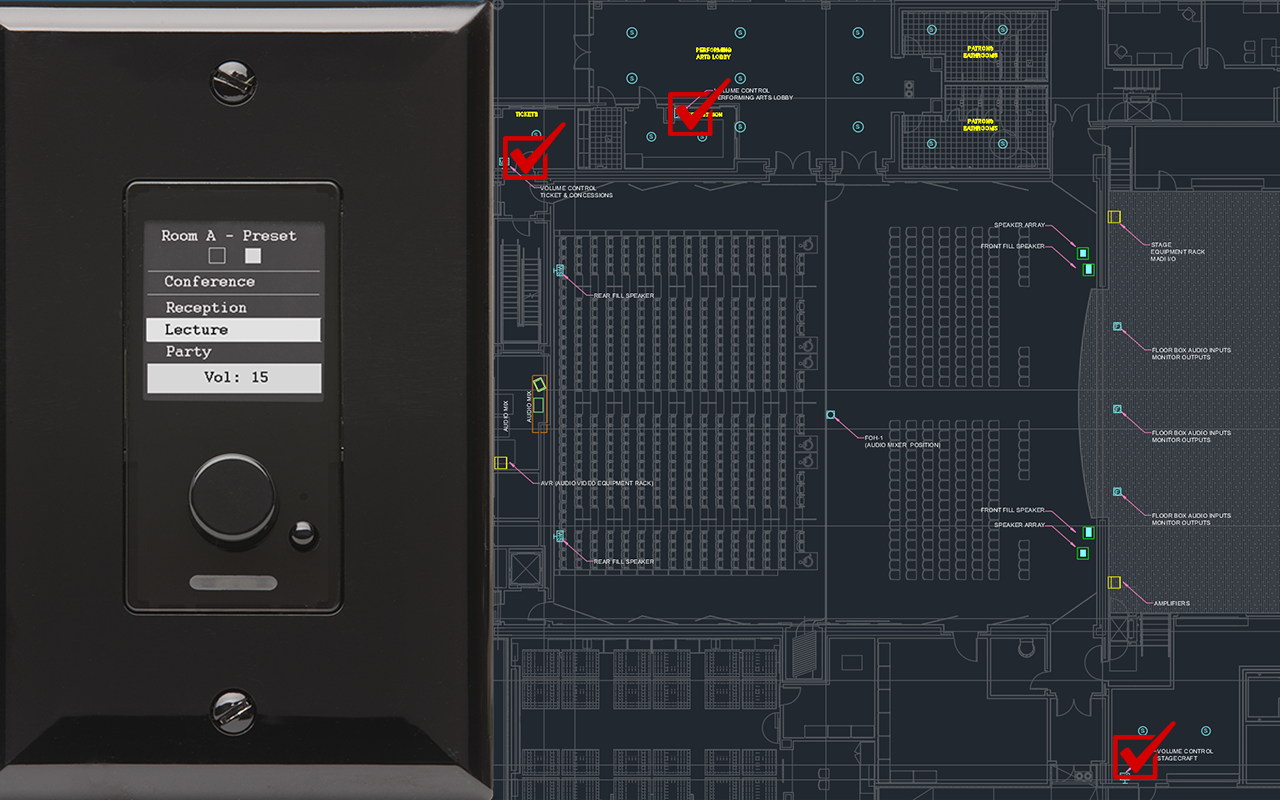
The C1 Audio Control is a user friendly network enabled audio control device.
IMPORTANT BE AWARE! You need to be cognizant that the audio feed is the audio mix sent to these areas by the "Self Serve" mode or the "Mix Mode." There is no dedicated media player assigned to these feeds. If in doubt, mute these areas unless you are directed to un-mute by the stage Manager.
Turn the rotary knob up or down to raise or lower the volume
Press to mute or un-mute the audio.
These controls are located in the Ticket Office, Stagecraft and Lobby areas.(Look at the plan view bellow, the check marks locate the areas of these volume controls)
Be careful not to over modulate the volume control, these areas should be maintained an a lower volume level as they are generally public facing.
You can also use the controls on the Control Room touch panel, this allows the control room operator full control over the system.
 ONLINE-TRAINING