TOUCH PANEL INTERFACE OVERVIEW
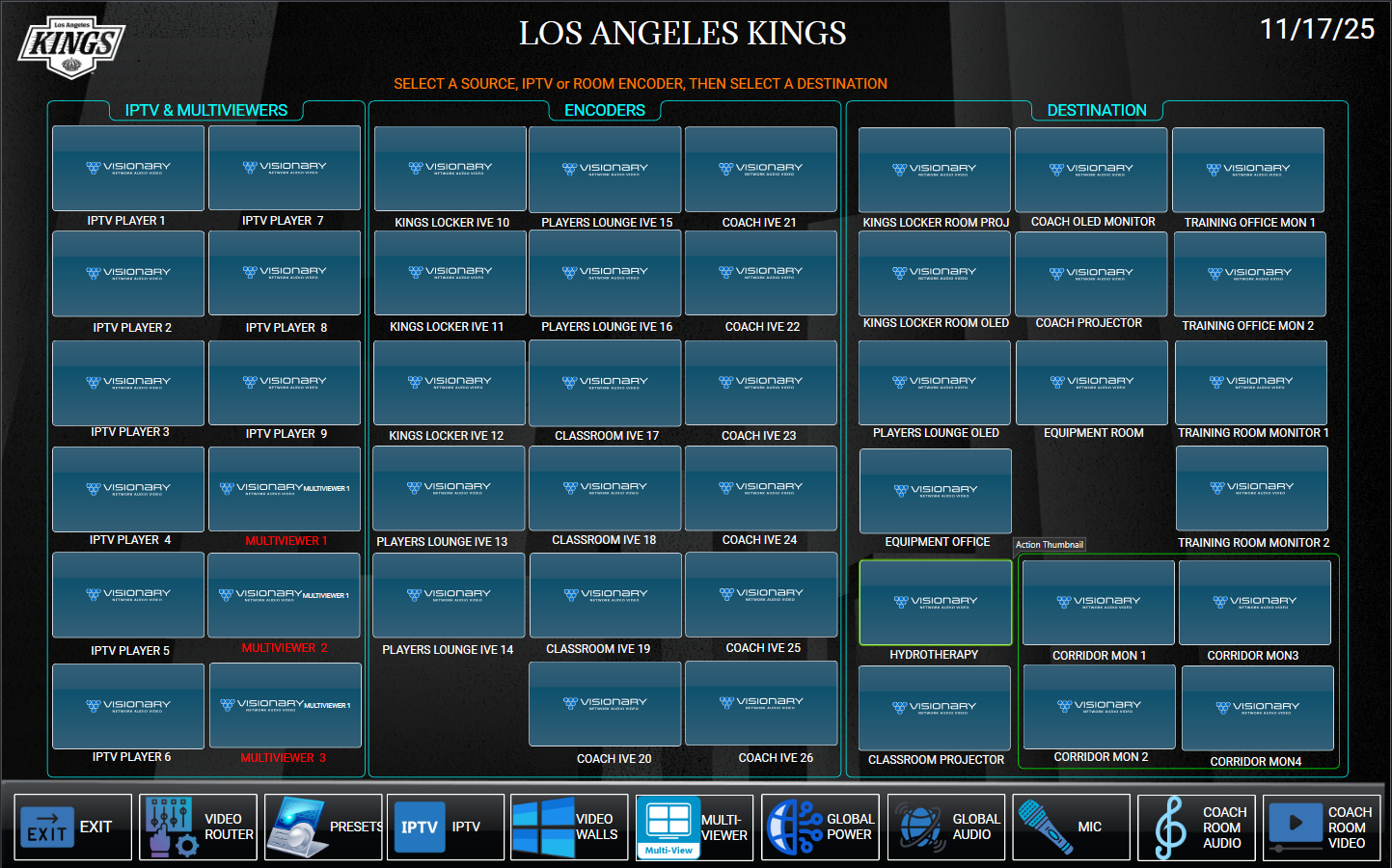
This page is interactive, it will function as if it were in use. Hover your mouse icon over the password area to see he description. Selecting the icon will flip to see that action.
QUICK HOW TO DESCRIPTION
Routing a device is simple: select any available source icon. A usable source icon displays a static preview of the live video feed, refreshing every seven seconds. To route media, select the icon of the desired source, then select the destination icon.
The system is programmed so that audio automatically follows video. To adjust audio playback, navigate to the Room Audio Page and adjust the room volume accordingly.
Please read the rest of the instructions below.
VIDEO ROUTER
Before using the system, it is important to understand the difference between video sources and video destinations.
Video Sources
A video source is the origin of video content, such as a camera, media file, or computer screen. It is the device or data stream that provides the video signal to be captured, recorded, edited, or distributed. Video sources may also refer to grouped hardware inputs acting as a single source.
LA-KINGS VIDEO SOURCES
IPTV Devices: LA‑Kings have nine IPTV devices. They are distributed and numbered as follows:
DESIGNATED IPTV PLAYERS
- Coach – IPTV Player #1
- Kings Locker Room – IPTV Player #2
- Players Lounge – IPTV Player #3
- Equipment Room – IPTV Player #4
- Equipment Office – IPTV Player #5
- Training Room Mon 1 – IPTV Player #6
- Training Office Mon 1 – IPTV Player #7
- Training Office Mon 2 – IPTV Player #8
- Training Room Mon 2 – IPTV Player #9
The IPTV players distribute their video output to video encoders. These encoders then send the video throughout the network via IP.
Other Sources
Each Kings location includes HDMI wall input plates. These plates allow laptops or other video devices to connect and distribute video throughout the facility. These encoders are labeled with the prefix I.V.E followed by their unique ID number.
Destination Devices
A video destination is the end device that receives and displays a selected video source. For the LA‑Kings, these destinations are OLED monitors and projectors.
Routing a device is simple: select any available source icon. A usable source icon displays a static preview of the live video feed, refreshing every seven seconds. To route media, select the icon of the desired source, then select the destination icon.
The system is programmed so that audio automatically follows video. To adjust audio playback, navigate to the Room Audio Page and adjust the room volume accordingly.
 ONLINE-TRAINING