TOUCH PANEL INTERFACE OVERVIEW
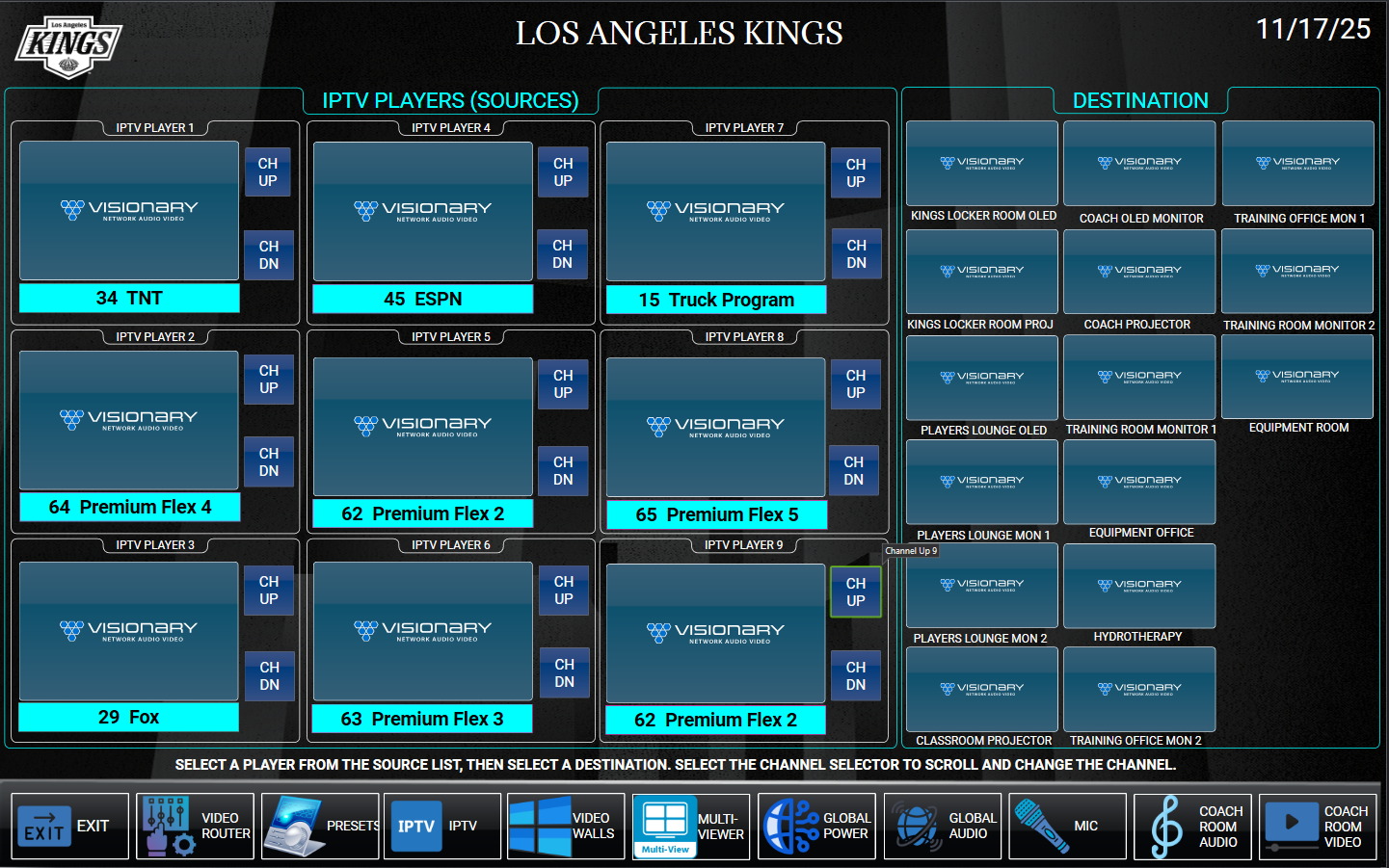
This page is interactive, it will function as if it were in use. Hover your mouse icon over the password area to see he description. Selecting the icon will flip to see that action.
"IPTV": (Administration Panel)
The Coaches Panel is the primary control panel for the entire LA Kings facility. It gives you access to all system functions building-wide.
All other room touch panels only control the features and equipment within their own individual rooms.
QUICK HOW TO DESCRIPTION
Routing a device is simple: select any available source icon. A usable source icon displays a static preview of the live video feed, refreshing every seven seconds. To route media, select the icon of the desired source, then select the destination icon.
Select the channels for the IPTV device by using the pull down selector, which will display the channel name.
IPTV Devices: LA‑Kings have nine IPTV devices. They are distributed and numbered as follows:
PLEASE REMEMBER THE DESIGNATED IPTV PLAYERS
If you utilize another rooms IPTV player and adjust the channel, you will subsequently adjust their selected channel too.
- Coach – IPTV Player #1
- Kings Locker Room – IPTV Player #2
- Players Lounge – IPTV Player #3
- Equipment Room – IPTV Player #4
- Equipment Office – IPTV Player #5
- Training Room Mon 1 – IPTV Player #6
- Training Office Mon 1 – IPTV Player #7
- Training Office Mon 2 – IPTV Player #8
- Training Room Mon 2 – IPTV Player #9
The system is programmed so that audio automatically follows video. To adjust audio playback, navigate to the Room Audio Page and adjust the room volume accordingly.
 ONLINE-TRAINING