
ONLINE-TRAINING

  • HOME (START)
  • OVERVIEW
    • Training Videos
    • Touch Panels
    • Typical Room Environment
    • Graphical User Interface
    • Control Interfaces
    • Emergency & Safety
  • COACHES OFFICE
    • Home Page
    • Video Router
    • Presets
    • IPTV
    • Video Wall
    • Multi-Viewer
    • Global Power
    • Global Audio
    • Microphone
    • Coach Audio
    • Coach Video
  • KINGS LOCKER ROOM
    • Home Page
    • Multi-Viewer
    • IPTV
    • Audio
    • Video
  • PLAYERS LOUNGE
    • Home Page
    • Multi-Viewer
    • IPTV
    • Audio
    • Video
  • FITNESS AREA
    • Home Page
    • IPTV
    • Hydrotherapy
    • Training Room
    • Training Office
  • EQUIPMENT AREA
    • Home Page
    • IPTV
    • Equipment Area Plan
  • INFORMATION & DOWNLOADS
    • FAQ's & Downloads
    • Audio Visual Rack
    • Pro's & Cons
    • Brightsign Configuration

TOUCH PANEL INTERFACE OVERVIEW


1 2 3
4 5 6 7 8 9 10 11 12 13 14 15 16

This page is interactive, it will function as if it were in use. Hover your mouse icon over the password area to see he description.


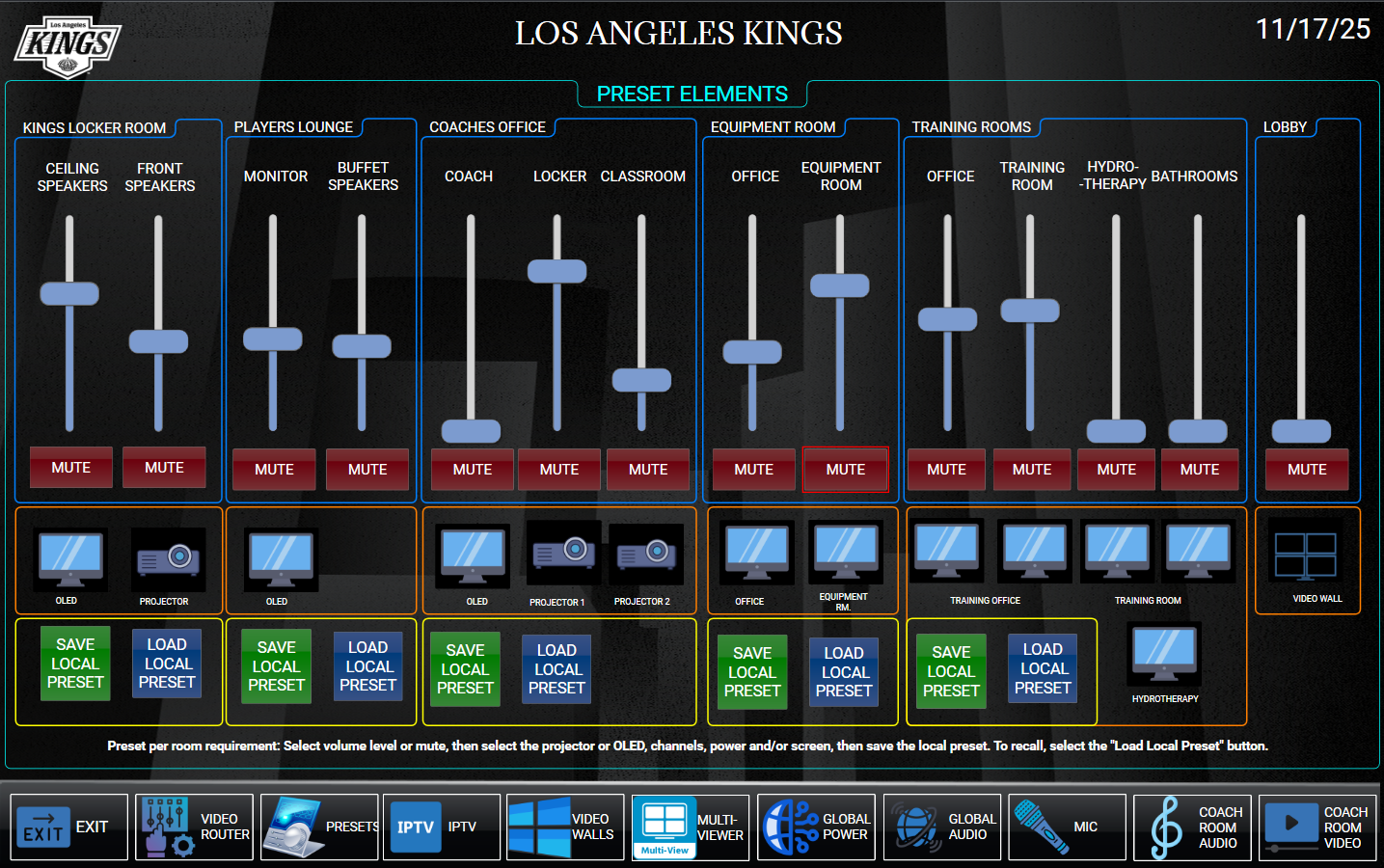
Setting Presets

You can set and recall preset audio levels, mutes, etc by folloing the directions below.

  1. Set the preffered audio level in the room chosen
  2. Select Mute or unmute
  3. Save The Local Preset – You can test the save function by changing the faders and actions, then select the Load Local Preset button.

© Copyright ACS Advanced Cable Solutions. All Rights Reserved

Advanced Cable Solutions, 28343 Kelly Johnson Parkway, Unit 100, Valencia, CA 91355. acsdbi.com